Cloudflare Review 2026 Security Features Pricing for Small Businesses

A small business website can be inexpensive to launch, but harder to protect and keep fast as traffic grows. DNS, SSL certificates, DDoS protection, caching, access control, and firewall rules can quickly become separate tools with separate dashboards.
Cloudflare brings many of these functions into one platform. It is widely used by website owners, developers, startups, and larger organisations that want to improve website security, performance, and reliability without managing every layer themselves.
This Cloudflare review looks at what the platform does, its main security features, pricing considerations, pros and cons, and whether it may be a practical choice for small businesses in 2026.

What Cloudflare is
Cloudflare is a cloud-based network and security platform that sits between website visitors and a website’s origin server. When a domain uses Cloudflare, visitor traffic can be routed through Cloudflare’s global network before reaching the website.
This setup allows Cloudflare to provide services such as:
DNS management
Website caching through a content delivery network
DDoS protection
Web application firewall rules
SSL/TLS encryption
Bot and traffic filtering
Zero Trust access controls
Domain and registrar services in some cases
For small businesses, Cloudflare can reduce the need to buy several separate website security and performance tools. That said, it is not a complete replacement for secure web hosting, application patching, endpoint security, or good internal security practices.
What Cloudflare does for websites and businesses
Cloudflare’s main role is to act as a protective and performance-focused layer in front of internet-facing services. For a typical business website, this can mean faster page delivery, safer DNS, encrypted traffic, and better filtering of unwanted traffic.
A small ecommerce site, for example, may use Cloudflare to:
Serve cached images and static files closer to visitors
Reduce some malicious bot activity
Block or challenge suspicious requests
Manage SSL/TLS certificates
Keep DNS records in one dashboard
Protect login pages with access controls
Reduce the impact of certain traffic spikes
For businesses with remote teams, Cloudflare also offers Zero Trust tools that can help control access to internal apps without relying only on a traditional VPN.
The value depends on how much of the platform a business actually uses. A simple brochure website may only need DNS, SSL, and basic DDoS protection. A SaaS startup or online store may need WAF rules, bot controls, stricter access policies, and company-wide security controls.
Key security features
Cloudflare has a broad product set, but most small businesses will focus on a few core areas.
DDoS protection
Distributed denial-of-service attacks attempt to overwhelm a website or service with traffic. Cloudflare’s network can help absorb and filter many types of DDoS traffic before it reaches the origin server.
Basic DDoS protection is available across Cloudflare’s website plans, while more advanced controls and support are generally tied to higher-tier plans or enterprise agreements. Businesses that face regular attacks, operate high-risk services, or handle revenue-critical traffic should review the plan details carefully.
For most small business websites, Cloudflare’s baseline protection may offer a useful security layer. It does not mean every outage risk disappears. Origin server limits, application issues, misconfiguration, and hosting problems can still affect availability.
Web Application Firewall
Cloudflare’s Web Application Firewall, often called WAF, helps filter malicious HTTP traffic before it reaches a website. It can block or challenge requests linked to common application attacks, suspicious patterns, or custom rules set by the site owner.
Typical WAF use cases include:
Protecting login and admin pages
Filtering known attack patterns
Restricting access by country or IP range
Applying managed rules for common web threats
Creating custom rules for a specific application
The WAF can be useful for WordPress sites, ecommerce stores, SaaS apps, and membership platforms. The main limitation is that WAF rules need careful setup. Rules that are too strict can block real users. Rules that are too loose may leave gaps.
DNS and domain security
Cloudflare is known for fast DNS management and a simple interface for editing DNS records. Users can manage records such as A, CNAME, MX, TXT, and other common DNS types.
Security-related DNS features may include DNSSEC support, proxying traffic through Cloudflare, and controls that reduce direct exposure of the origin server. Cloudflare also offers domain registration services in supported regions, though availability and terms can vary.
For small businesses, this centralised DNS control is helpful. A wrong DNS change can still break email, website access, or verification records, so changes should be documented and tested where possible.

SSL, TLS, and encryption
Cloudflare can help deploy SSL/TLS encryption between visitors and Cloudflare, and in many setups between Cloudflare and the origin server. This is central to protecting data in transit and showing visitors that the site uses HTTPS.
Businesses should pay close attention to SSL/TLS mode. A weak or incorrect setting can create a false sense of security. In most business cases, traffic should be encrypted all the way to the origin server, not only between the visitor and Cloudflare.
Cloudflare also provides certificate management options, but the right setup depends on the hosting provider, application, and compliance needs.
Zero Trust and access security
Cloudflare Zero Trust is a separate but connected set of tools for controlling access to apps, devices, and networks. It can help replace or reduce reliance on traditional VPN access by applying identity-based policies.
Small businesses may use Zero Trust tools to:
Protect internal dashboards
Require identity checks before accessing admin tools
Limit access by user, device, location, or policy
Control access to self-hosted applications
Filter DNS or web traffic for team devices
This is useful for remote and hybrid teams, especially when staff or contractors need limited access to internal systems. Setup may require more planning than basic CDN or DNS features, especially if the business has several identity providers, device types, or legacy apps.
CDN and website performance
Cloudflare’s CDN can cache static content such as images, CSS, JavaScript, and other files on its network. When configured well, this can reduce load on the origin server and deliver content from a location closer to visitors.
Performance features may include:
Static asset caching
Image delivery tools
Page rules or cache rules
Compression
HTTP/2 and HTTP/3 support where available
Traffic routing features on selected plans
For small businesses in Nigeria serving both local and international visitors, a CDN can be useful when traffic comes from different regions. The actual performance gain depends on the hosting location, page build quality, cache settings, and whether the site uses heavy scripts or dynamic content.
Cloudflare can improve delivery, but it will not fix every speed issue. Poor hosting, uncompressed media, bloated themes, and slow database queries still need direct attention.
Ease of use
Cloudflare’s dashboard is generally approachable for common tasks such as adding a domain, changing DNS records, enabling SSL/TLS, and checking basic security settings. Many small websites can get started by changing nameservers and following guided setup steps.
The learning curve grows as soon as custom rules, WAF tuning, cache controls, workers, load balancing, and Zero Trust policies enter the picture.
Strengths for ease of use include:
A central dashboard for many services
Clear DNS controls
Guided onboarding for domains
Many default settings for basic website protection
Good documentation for common tasks
The main challenge is the platform’s breadth. Cloudflare offers many products, and not all of them are relevant to every small business. Teams should avoid turning on advanced features without understanding how they affect traffic, logins, checkout pages, APIs, or email authentication.

Pricing and plan options in 2026
Cloudflare pricing can change, and some products use separate pricing models. Readers should verify current details on Cloudflare’s official website before making a purchase decision.
For website and application services, Cloudflare has commonly offered plan tiers such as Free, Pro, Business, and Enterprise. Public plan names and what they include may vary over time, and some advanced features are sold separately.
A simple comparison looks like this:
Plan type | Typical fit | Key consideration |
Free | Personal sites, early-stage projects, small brochure websites | Useful starting point, but advanced controls and support may be limited |
Pro | Small business sites that need more security and performance controls | Review included WAF and performance features before upgrading |
Business | Revenue-critical websites, ecommerce, SaaS, and higher support needs | Higher cost, but may include stronger controls and service features |
Enterprise | Larger or higher-risk organisations with custom needs | Custom pricing and contract terms usually apply |
Cloudflare Zero Trust, domain registration, Workers, load balancing, advanced bot management, image services, and other products may be priced separately or have usage-based components. This makes it important to estimate the total cost, not only the base website plan.
For a small business, the practical pricing question is not only “Which plan is cheapest?” It is “Which risks and operational needs justify paying for more controls?”
Pros and cons
Pros
Combines DNS, CDN, SSL/TLS, DDoS protection, and security controls in one platform
Free plan can be useful for basic websites and testing
WAF and DDoS tools can add a strong front layer of protection
CDN can improve content delivery for visitors in different locations
Zero Trust tools can help protect internal apps and remote access
DNS management is clear and widely supported
Cons
The number of products and settings can feel complex
Advanced security, support, and traffic controls may require paid plans
Misconfigured WAF, SSL, or cache settings can cause user-facing issues
It does not replace secure hosting, application updates, or backups
Full Zero Trust setup may require identity and device policy planning
Pricing across add-on products can become harder to estimate
Who Cloudflare is best suited for
Cloudflare may be a good fit for:
Small business websites that need better DNS, HTTPS, caching, and baseline DDoS protection
Online stores that want more control over traffic filtering and performance
SaaS startups that need WAF rules, access controls, and scalable edge services
Agencies and developers managing multiple client websites
Remote teams that need controlled access to internal applications
Content websites serving readers across different regions
It may be less suitable for businesses that want a fully managed “set it and forget it” security service without any technical involvement. Cloudflare can simplify many tasks, but someone still needs to understand the website, review settings, and respond when rules affect real users.
Important limitations and considerations
Cloudflare is powerful, but it is not a complete cybersecurity programme. Before adopting it, small businesses should consider these points.
Configuration matters
A poor SSL/TLS mode, an overly broad firewall exception, or incorrect cache rule can weaken security or break site functions. Changes should be tested, especially on checkout, login, payment, booking, and API pages.
It may not protect the origin if exposed
If attackers can reach the origin server directly, some Cloudflare protections may be bypassed. Businesses may need server firewall rules that only allow expected traffic sources, depending on the setup.
Support levels vary by plan
Free and lower-tier plans may not include the same support options as higher-tier or enterprise plans. Businesses with mission-critical sites should review support terms carefully.
Costs can spread across products
A website plan is only one part of the price. Zero Trust, Workers, load balancing, images, bot controls, and other services may affect the full monthly cost.
Compliance needs require separate review
Cloudflare can support secure architectures, but each business remains responsible for its own regulatory, contractual, and data protection obligations. Companies handling sensitive data should review legal, compliance, and hosting requirements with qualified advisers.
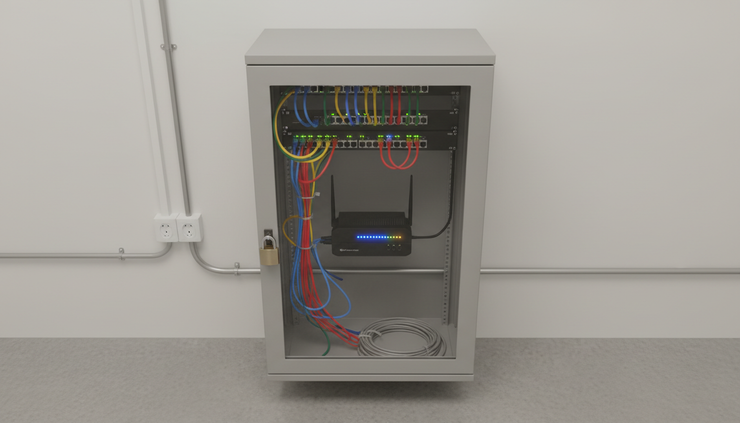
Verdict on Cloudflare for small businesses
Cloudflare may be worth considering for small businesses that want a practical way to improve website security, performance, and traffic control without stitching together many separate tools. Its DNS, CDN, SSL/TLS, DDoS protection, WAF, and Zero Trust options give it a broad role in modern website infrastructure.
The main trade-off is complexity. Cloudflare can be simple at the start, but more advanced settings need technical care. Businesses should start with the features they understand, document changes, test important pages, and review the official pricing page before choosing a plan.
For a low-risk website, the Free or entry-level options may be enough to begin. For ecommerce, SaaS, or revenue-critical websites, paid plans and stronger support may be more appropriate. The best choice depends on the site’s risk level, traffic patterns, technical skill, and need for support.
Secure Online’s view is that Cloudflare is a serious option for small businesses researching website security and infrastructure in 2026, provided they treat it as one layer of protection rather than a complete security solution.
Affiliate disclosure: Secure Online may earn a commission if you purchase through links on our website. This does not affect our editorial independence or the price you pay, and our reviews are based on our own research and assessment.


Comments